
Mar 14, 2026
9 min read

Mar 14, 2026
9 min read
How can businesses build a modern sales app efficiently? This blog explains how to develop a sales application with Rocket.new, including setup, core features, backend integration, and deployment basics.
How can companies build a powerful sales app fast without months of development?
Rocket. New and low-code platforms make sales app development faster, easier, and far more accessible than traditional methods.
Businesses rely heavily on mobile app solutions today.
Data shows people spend around 4.8 hours daily using mobile apps, and nearly 88% of their mobile time is spent inside apps rather than in browsers.
For organizations that want better tools for sales professionals, a well-designed custom app can help manage leads, analyze performance, and simplify work across teams.
So let's break down how it all works.
Companies operate in today's competitive landscape, where speed and customer experience shape success. Traditional spreadsheets and manual systems slow down teams. That is where business apps come into play.
A well-built mobile app enables companies to manage sales processes, track deals, and enhance customer engagement in real time.

Many companies now rely on custom applications designed specifically for their business needs. These tools allow sales professionals to respond quickly and manage activities directly from mobile devices.
Another benefit is enhancing customer engagement. When companies understand customer behavior, they can tailor offers and messages that improve relationships and increase conversions.
Every strong custom app includes several essential features that support daily operations. These features improve efficiency and help sales reps perform better.
Sales teams handle many leads daily. Good business applications help organize prospects, follow conversations, and track deals from start to finish.
A modern mobile app stores and analyzes customer data, allowing teams to personalize outreach and build stronger relationships.
Timely reminders help sales reps respond quickly to opportunities. Smart alerts improve follow-ups and strengthen customer engagement.
Using predictive analytics, companies gain valuable insights into trends and buyer behavior. This improves forecasting and strategic planning.
Business apps must protect information. Features like multi-factor authentication protect accounts and sensitive data.
A simple and user-friendly interface makes apps easy to navigate. A smooth app's interface reduces learning time for teams.
These essential features help companies build reliable business applications that support both internal workflows and customer-facing apps.
Building effective business apps starts with a clear plan. The app development process guides teams from idea to launch while ensuring the product meets real business needs.
Each step focuses on creating a reliable custom app that works smoothly for users.
This structured development process brings designers, engineers, and the development team together to build reliable custom applications for modern businesses.
So how do you actually build a sales app using Rocket.new?
The process is surprisingly simple. The platform focuses on fast app development using low-code tools and smart automation. Instead of writing long blocks of code, teams can create custom applications through prompts, templates, and visual editing.
Here are the basic steps to follow.
Start by creating an account on Rocket.new. After signing in, you’ll enter the main workspace where you can start creating apps for different business needs.

This dashboard is where the development process begins.
Next, decide how you want to build the app.
You can either:
(https://strapi.rocket.new/uploads/image_41_b675277358.jpeg
For example, you might enter a prompt like:
“Build a sales management mobile app for tracking leads, meetings, and deal progress.”

The system then starts generating the structure for your app.
After that, Rocket.new shows suggested screens for the app. These may include:
You can select or adjust these screens depending on your business needs. The layout uses drag-and-drop interfaces, which makes the design part very simple.
Once the setup is ready, Rocket.new starts building the app.
During this stage, the platform generates the backend, UI components, and cloud services configuration. This dramatically reduces development time compared with traditional coding.
You can literally watch the system assemble the mobile app in real time.
When the build finishes, Rocket.new shows a working version of the app.
This preview allows sales professionals and teams to review the structure, screens, and app's interface before moving forward.
Next comes customization. You can refine the custom app by typing commands or using built-in tools.
For example:
This flexibility allows companies to create custom applications tailored to their workflows.
After adjustments, test the app across devices.
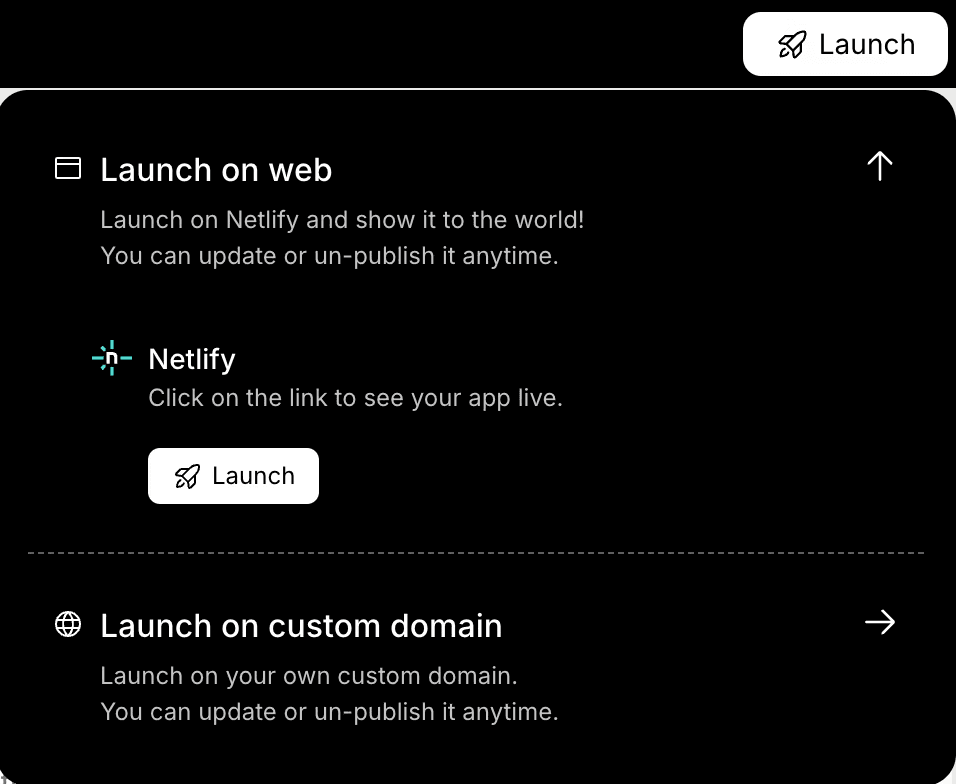
Once everything works properly, you can prepare it for release on the Google Play Store or the Apple App Store. This final stage completes the development process and makes the app available to users.
👉Build Your Sales App with Rocket 🚀
When companies start building business applications, selecting the right development method becomes an important step.
The choice depends on budget, business needs, and the expected performance of the mobile app. Each approach has its own advantages and works differently depending on the project goals.
Each approach supports different goals in app development. Many businesses today prefer low-code platforms because they lower development costs, reduce complexity, and allow teams to build modern business applications more quickly.
Budget planning is a key part of app development. Several factors affect development costs.
These include:
The right technology stack can reduce money spent and shorten development time.
Low-code platforms provide a cost-effective solution because they simplify creating apps and require fewer developers. For small business owners, this makes custom development more practical than before.
Sales applications help companies streamline workflows and simplify operations.
A good mobile app supports internal operations, improves collaboration, and increases employee productivity.
For example, sales reps can:
These capabilities reduce manual work and help teams boost productivity.
With better tools, sales professionals spend less time on admin work and more time building customer relationships.
Adam Skoneczny, who works with multiple tech sales companies, shared an observation about current sales trends:
“Mobile apps are still in strong demand, especially internal tools and industry-specific platforms.” —Adam Skoneczny on LinkedIn
This insight reflects what many other businesses are seeing today. Companies are increasingly investing in business apps that help sales professionals manage tasks, track deals, and support smoother business processes.
The future of business applications will focus on smarter automation and data insights. Some future trends are already shaping the industries.
That includes:
These trends help companies build custom app solutions that grow with their operations.
Many companies still depend on traditional methods like spreadsheets and manual systems. These approaches slow down teams and limit visibility into deals. Businesses also struggle with scattered tools and disconnected business applications.
The solution lies in modern sales app development supported by low-code platforms, strong technology stack choices, and smart planning. Tools like Rocket.new help teams build custom app solutions that match their business needs while reducing development costs.
The main takeaway is simple. Companies that adopt modern business applications and focus on a smart development strategy can improve productivity, strengthen user loyalty, and move closer to long-term business success.
Table of contents
What is sales app development?
Why do businesses need a sales mobile app?
Are low code platforms good for business apps?
How does Rocket.new help with app development?